How KhiFlow Master works.
It listens to the loudest part of your finished song, then masters it: punch, clarity, width and loudness, set for that song.
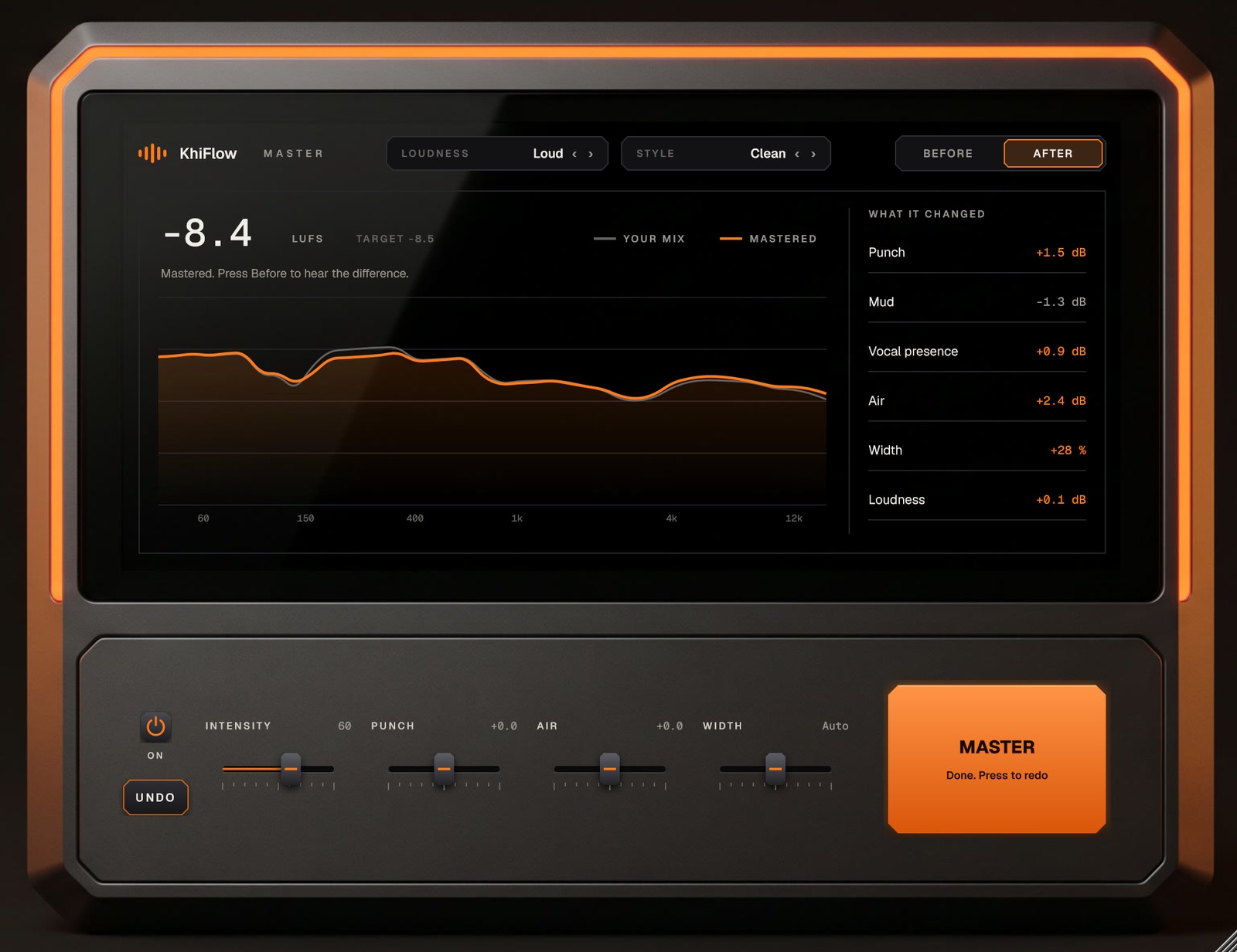
One press. A finished master.
Press MASTER and play the loudest part of your song. KhiFlow Master listens for 30 seconds, then sets every stage below for that song.
- ListensMeasures the song's loudness, tone and stereo against finished rap and R&B records.
- ToneFixes what's off, then adds the finish: punch in the kick and 808, less mud, the vocal forward, air on top.
- WidthKeeps the bass in the middle so it hits on phones, and opens up the top.
- GlueLight compression that pulls the song together.
- LoudBrings it up to Streaming, Loud or Club level without distortion, with peaks held under -1 dB.
In your DAW, four steps.
Put KhiFlow Master last on your master channel in FL Studio, Ableton, Cubase, Studio One or Reaper.
- Put it last on the master.In FL Studio, the last slot on the Master channel, after everything else.
- Press MASTER and play.Play the loudest part of your song, like the hook. It listens for 30 seconds and sets itself. Press again to finish early.
- Pick how loud.Streaming for Spotify and Apple, Loud for most rap songs, Club for as loud as it gets.
- Compare.Press Before and After. The screen shows your mix in grey, the master in orange, and exactly what it changed.
What you need.
For the plugins
A Windows PC (64-bit) and any DAW that loads VST3 plugins. One key unlocks KhiFlow and KhiFlow Master, on 2 devices at once.


For the BandLab Plugin
Any phone or computer with a web browser, including Macs. It’s built for BandLab, but works with files from any app.

The right file for each
KhiFlow needs your vocal as its own file, so it can mix it onto the beat. KhiFlow Master works on the finished song, last on your master channel.
3-day money-back guarantee
Try it on your own songs. If it isn’t for you, email us within 3 days for a full refund.