How KhiFlow works.
It listens to your voice and your beat, then sets the whole mixing chain for you. Here’s what happens.
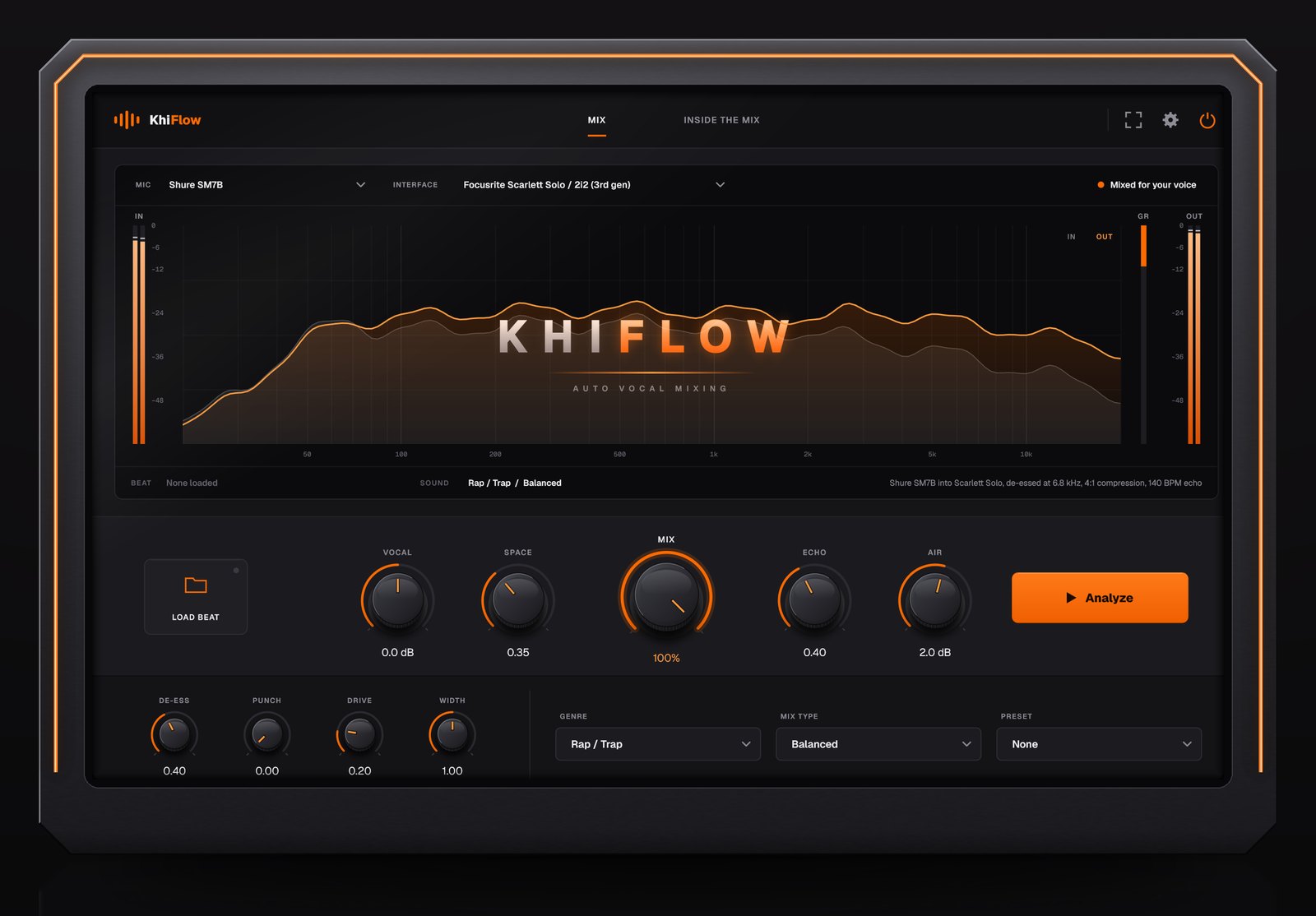
One press. A full mixing chain.
When you press Analyze, KhiFlow measures your vocal and your beat, then sets every stage below for your voice.
- ListensCompares your vocal to a finished, mixed vocal and checks how your beat sits.
- EQCuts mud and harshness, adds presence and air where your voice needs it.
- De-esserTames the sharp S and T sounds without dulling the vocal.
- CompressionEvens out loud and quiet words so every line comes through.
- Thickness and shineAdds density and top-end sparkle, the polish of a finished record.
- SpaceDelay and reverb, timed and tuned so the vocal sits in the beat.
- LevelSets the vocal at the right loudness for your genre, with its own limiter.
It also accounts for your mic and interface, and treats phone or Bluetooth recordings differently, so a cheap setup still comes out clean.
In your DAW, three steps.
Put KhiFlow on your vocal track in FL Studio, Ableton, Cubase, Studio One or Reaper.
Pick your mic, genre and sound.
Choose the mic and interface you recorded with, your genre, and the sound you want, from Clean to Aggressive.
Press Analyze while the song plays.
Load your beat so KhiFlow hears it too. A few seconds later, the whole chain is set for your voice.
Turn the Mix knob, or go deeper.
Turn it down for a lighter touch or all the way up for the full chain. Want control? Open Inside the Mix and drag the EQ, change the compression or add more space.
On BandLab, a Mac or your phone.
No download needed. The BandLab Plugin runs the same engine.
- Export your vocal on its own.Mute the beat and turn off your vocal effects. Keep autotune on, since KhiFlow doesn’t tune.
- Export the beat.Un-mute the beat, mute your vocals, and download again.
- Upload both.Add your ad-libs as a third file if you have them. They get mixed to sit behind your lead.
- Hear a free preview.Mix up to 3 songs a day for free and hear 15 seconds of each.
- Keep the full song.Unlock it with 1 credit ($10) or any plan, then download.
What you need.
For the plugins
A Windows PC (64-bit) and any DAW that loads VST3 plugins. One key unlocks KhiFlow and KhiFlow Master, on 2 devices at once.


For the BandLab Plugin
Any phone or computer with a web browser, including Macs. It’s built for BandLab, but works with files from any app.

The right file for each
KhiFlow needs your vocal as its own file, so it can mix it onto the beat. KhiFlow Master works on the finished song, last on your master channel.
3-day money-back guarantee
Try it on your own songs. If it isn’t for you, email us within 3 days for a full refund.